Know the moment guests leave every property you clean
Your clients invite you to Guest Checkout. You get an instant alert when guests check out, assign your own cleaners, and every clean is signed and timed for you and the host.


Free 7-day trial · No app for guests · iPhone, Android and web
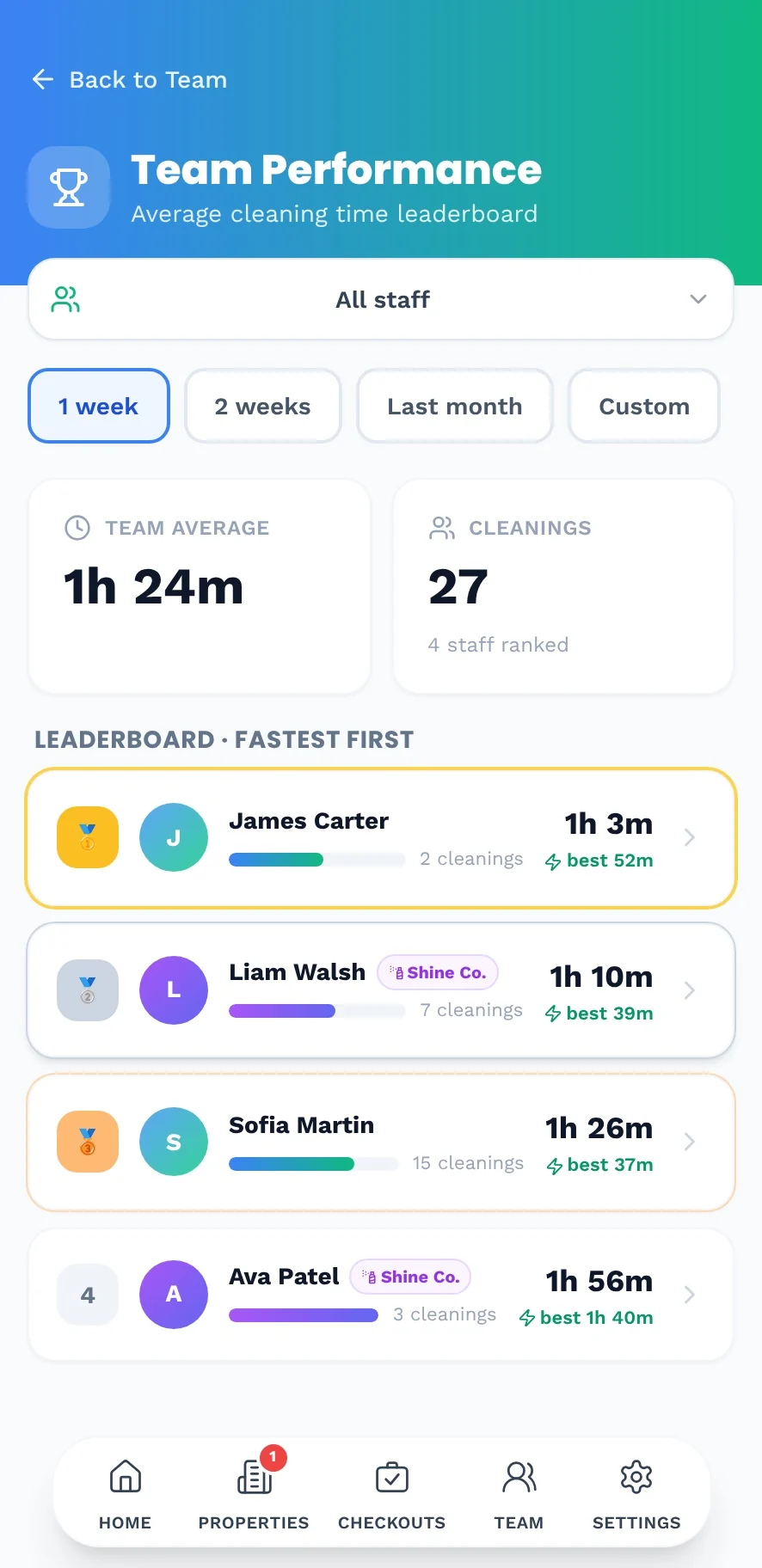
Run more changeovers with the same team
- No more waiting for the host to tell you the guest has gone
- Your manager assigns cleaners to the properties you look after
- Each cleaner only sees their own properties
- Cleaning times and a team leaderboard show who is fastest
Calendars tell you when guests should leave. Guest Checkout tells you when they did.
Most cleaning tools work from the booking calendar. Guest Checkout works from the real moment of checkout, the one moment that decides how fast your next guest can check in.
The usual way
Cleaning by the calendar
- Cleaning is booked for the checkout time in the calendar
- Guests leave early or late, and nobody knows
- You text the guest, then the cleaner, then wait
- Cleaners wait outside or arrive too early
With Guest Checkout
Cleaning by the real checkout
- Guests scan a QR code when they actually leave
- Your cleaners get an instant alert on their phone
- You stop being the go-between
- You see every property go from checked out to ready
From checkout to ready in four steps
The guest scans the QR code, or taps your link
A branded QR code in the property, or a short link in your guest messages. No app to download and no login.
They confirm checkout in one tap
Guests read your checkout instructions and tap Confirm Checkout. The exact time they left is saved.
Your cleaners get an instant alert
Push and email alerts go only to the people assigned to that property.
Cleaning starts, then it is marked ready
Cleaners tap Start Cleaning and Mark Ready. You see it live and know when you can welcome the next guest.
Be the guest. Watch the cleaner get the alert.
This is exactly what your guests see after scanning the QR code. Tap Confirm Checkout, then play the cleaner: Start Cleaning and Mark Ready.
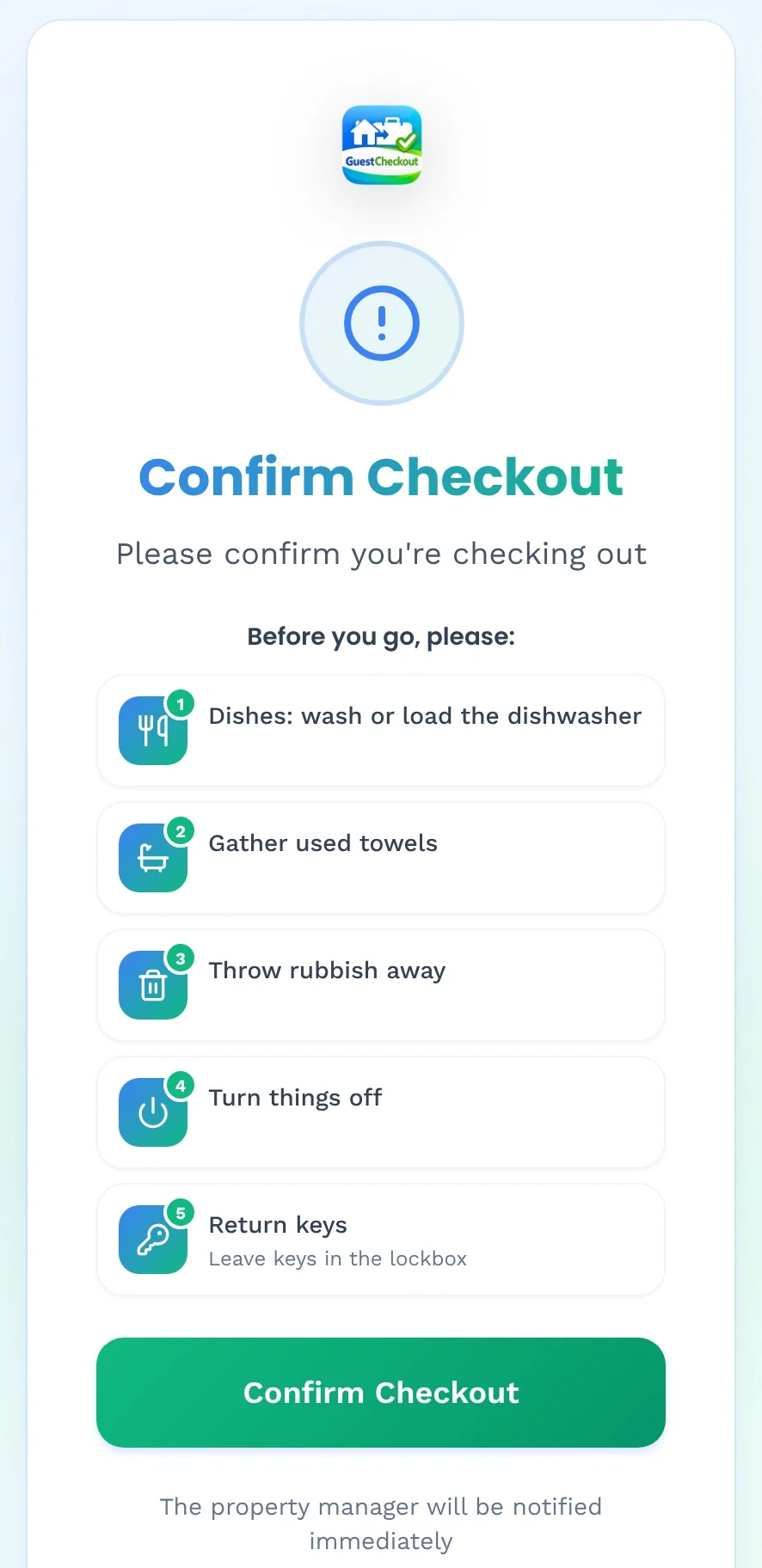
Confirm Checkout
Harbour Loft
Marine Parade
Before you go, please:
The property manager will be notified immediately
Tap Confirm Checkout
Your guest's phone
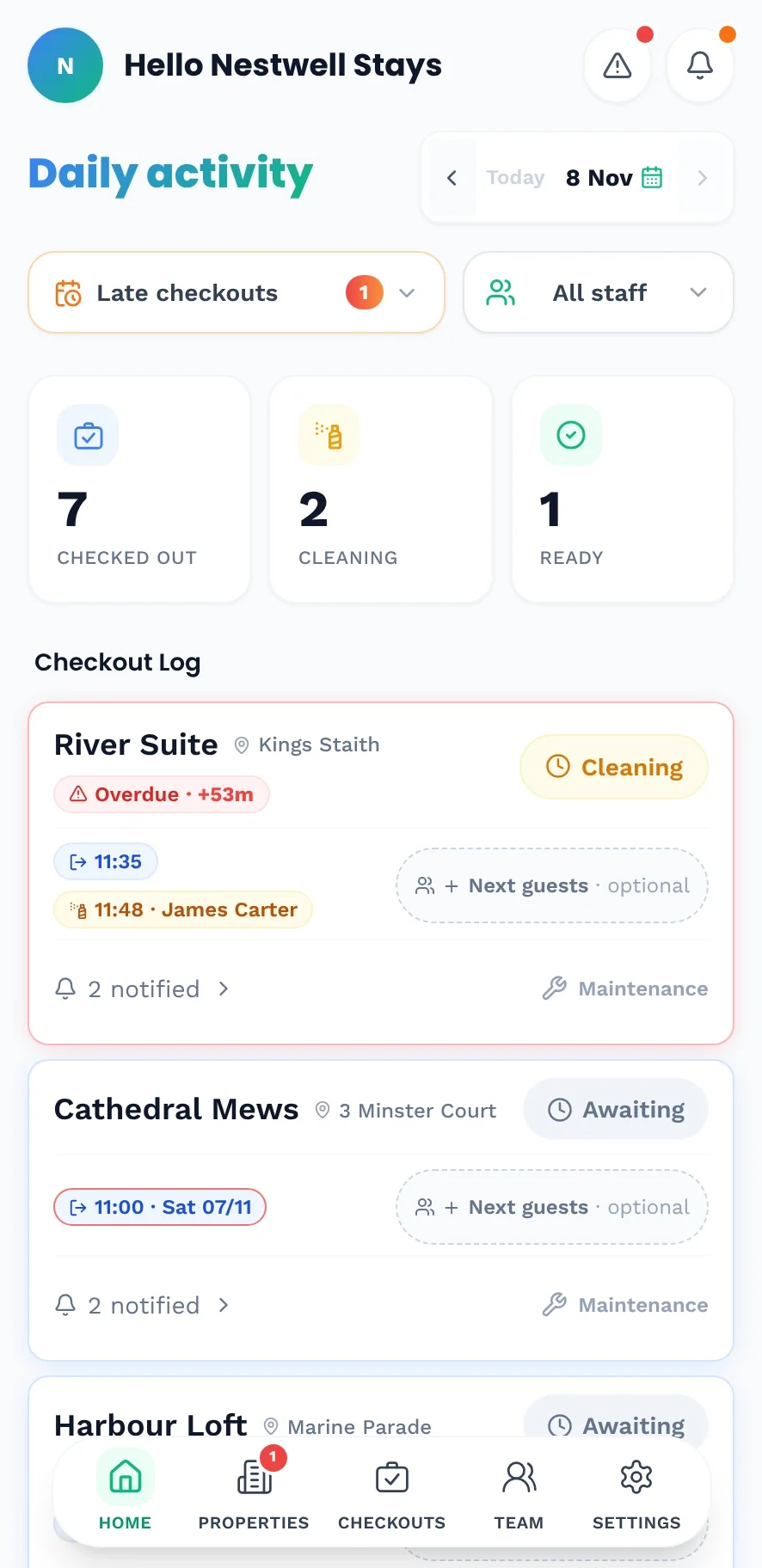
Checkout Log
River Suite
Kings Staith
Mill Cottage
Mill Lane
Cathedral Mews
Minster Court
Your cleaner's phone
Everything you need, nothing you don't
Work with cleaning companies
Invite a cleaning company and let its manager assign their own cleaners. Each cleaner only sees the properties they are assigned to.
Instant cleaner alerts
Push and email alerts go to the cleaners assigned to that property the moment the guest checks out. No calls, no messages.
Live status: checked out, cleaning or ready
Cleaners tap Start Cleaning and Mark Ready. You see every property move, live, from one daily view.
See who cleaned what, and when
Every clean is signed and timed, with cleaning and turnover times tracked automatically.
Cleaning times and leaderboards
Average cleaning time per property and a leaderboard for your team and cleaning companies.
Maintenance reports
Cleaners report issues with photos. Urgent jobs are flagged in red until they are fixed.
Questions, answered
The host invites your company and chooses which properties you look after. Your manager then invites and assigns your own cleaners.
No. Each cleaner only sees the properties they are assigned to.
Yes. Cleaners can report maintenance issues with photos and mark them as urgent for the host.
Yes. Cleaning time is tracked for every checkout, with a leaderboard for your team.
The checkout that starts the turnover for you.
Free for 7 days. Set up your first property in minutes.