Everything your cleaning team needs to turn properties around faster
Seven tools in one simple app. Each one below is live: tap it and see how it works.
A checkout page guests actually use
Every property gets its own QR code and link. Guests read your checkout instructions and confirm in one tap.
- Pick the instructions for each property and add a short note to any of them
- Print the poster for the door, or paste the link in your messages
- The exact checkout time is saved, every time
Harbour Loft · Marine Parade
Thank you for staying with us!
Checkout instructions
Before you leave, scan to check out


Our standard checkout time is 10:00
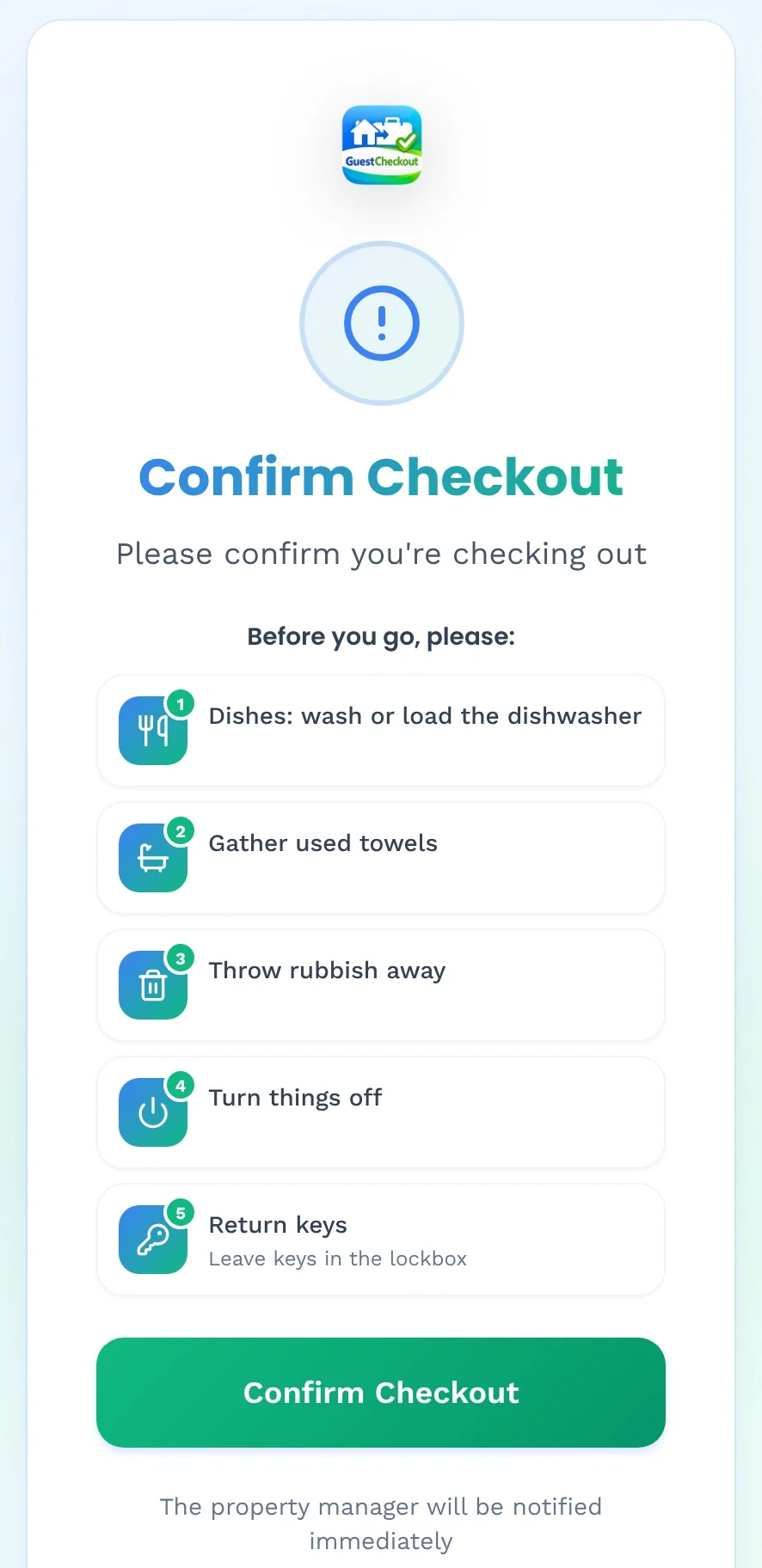
Confirm Checkout
Harbour Loft
Marine Parade
Before you go, please:
The property manager will be notified immediately
Tap Confirm Checkout
Each cleaner only hears about their own properties
Assign properties to each team member. When guests check out, only the people on that property get the push and email.
- Admins see everything, cleaners see only what is theirs
- Change who covers what in seconds when the rota changes
- Invite a cleaning company and share just the properties it looks after
Assign Properties
to Sofia Martin
Tap a property to assign it
The whole day, from checked out to ready
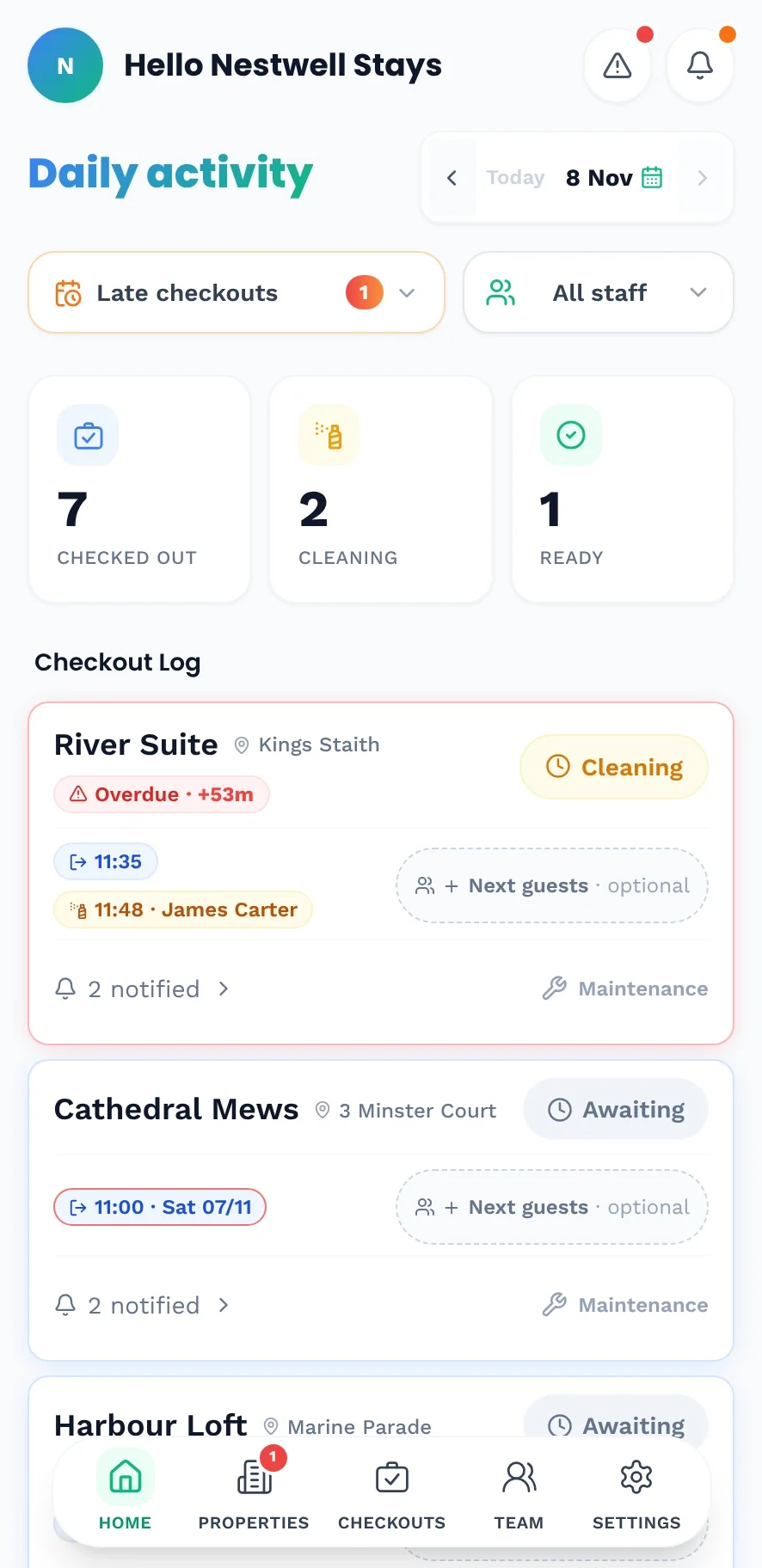
Cleaners tap Start Cleaning and Mark Ready. You see every property move, live, with today's numbers on top.
- Checked out, cleaning and ready counters for today
- See who was notified, and when
- Know how many guests are arriving next, so beds and towels are right
Checkout Log
Harbour Loft
Marine Parade
Mill Cottage
Mill Lane
Cathedral Mews
Minster Court
Try Start Cleaning
Agree a late checkout once. Everyone knows.
Choose the property, the date and the new time. The assigned cleaners are told automatically, so nobody turns up early.
- Add a note, like the time the guest asked for
- Late checkouts are flagged on the day's activity
- Overdue alerts if a clean runs longer than expected
Schedule late checkout
The assigned cleaners are notified automatically
Property
Checkout date
Checkout time
Note · optional
Pick a new time
Laundry, bins and deep cleans, on the right day
Add one-off or recurring jobs to a property. They appear for the team on the day they are due.
- Quick picks: new laundry, bins out, restock supplies, deep clean
- Make it recurring and it comes back on schedule
- Or set a single date and time for a one-off job
Add task
One-off or recurring job for the team
Repeats
Starting
Switch One-off and Recurring
Spot it, snap it, sorted
Cleaners report problems with a photo while they are still in the property. Urgent jobs stay red until someone fixes them.
- Pick the property, describe the issue, add a photo
- Mark it urgent in one tap
- Open jobs are counted on the Properties menu, so nothing is forgotten
Professional plan and above
Tap Add
Know your fastest cleaners
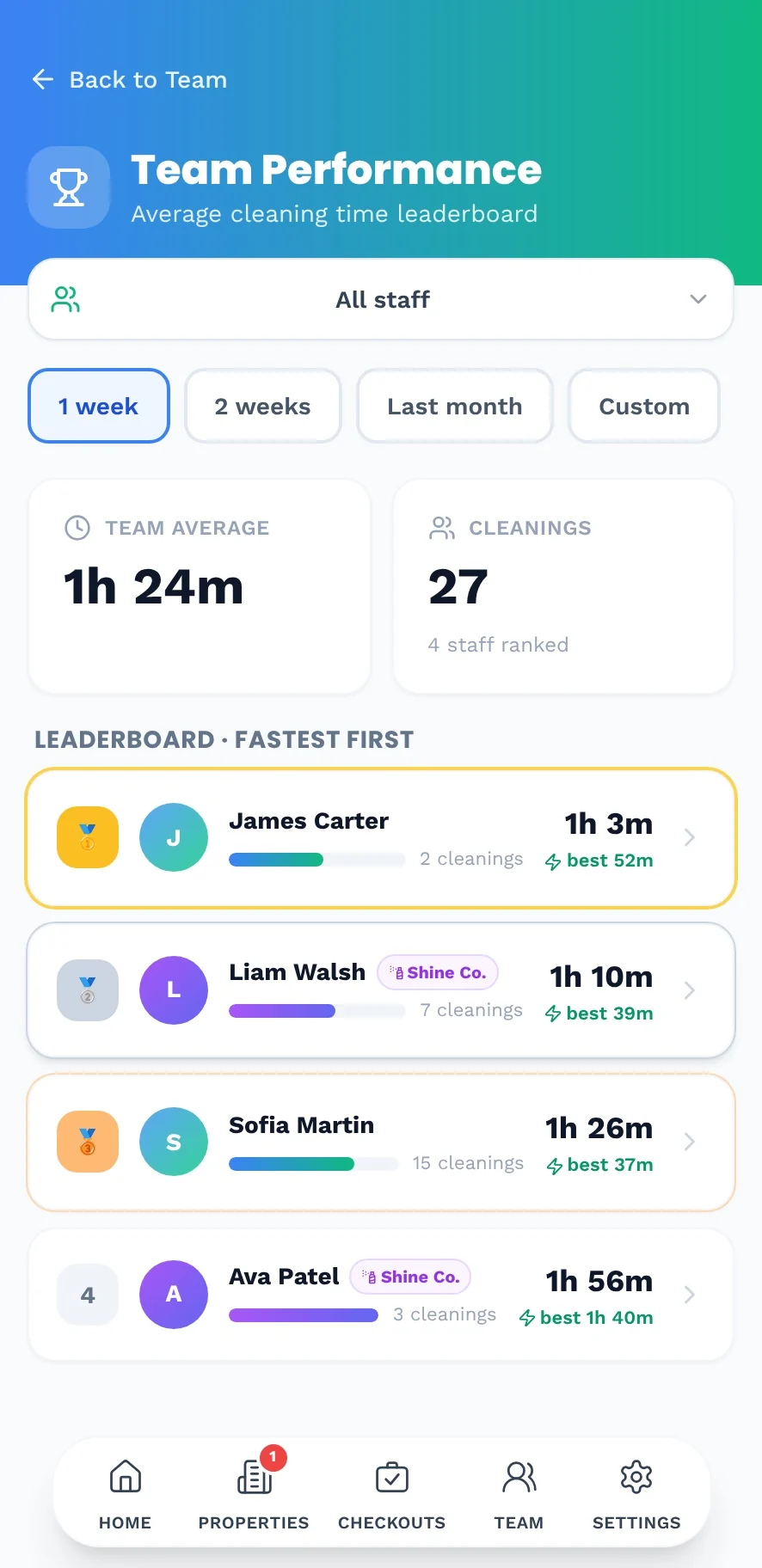
Average cleaning time for every cleaner, with a leaderboard for your own team and the cleaning companies you work with.
- View the last week, two weeks, month or any dates
- Every clean is signed and timed automatically
- Export your checkout history as a CSV
Also included on every plan
The checkout that starts the turnover for you.
Free for 7 days. Set up your first property in minutes.